KitchenAid Induction Error Codes: the FxEx Decoder
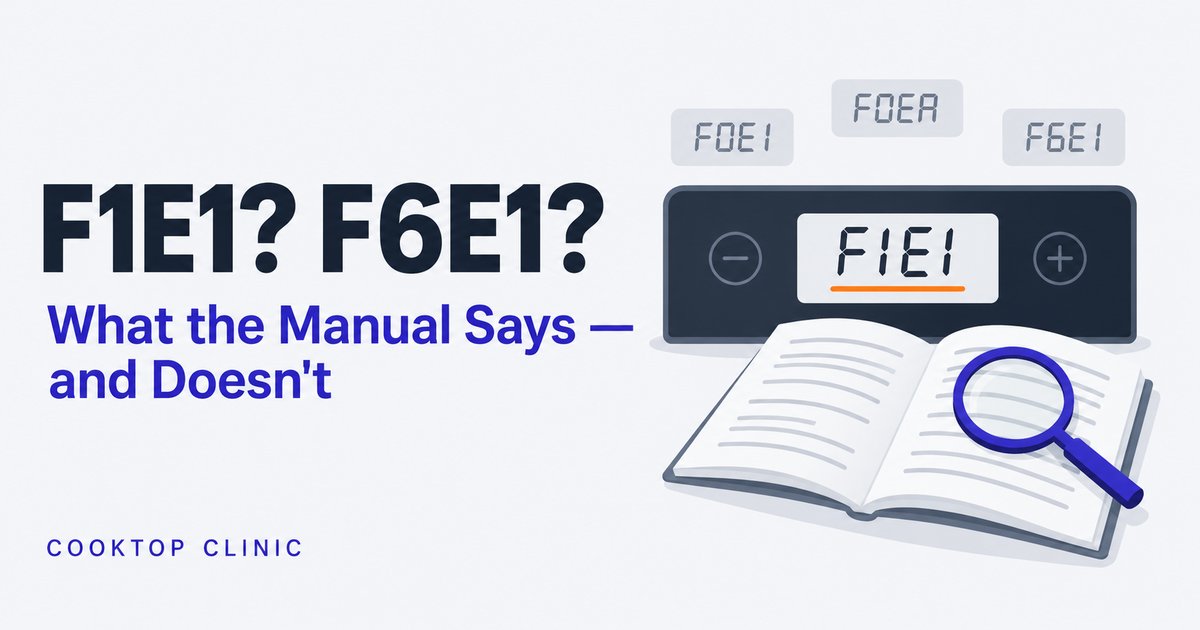
If you’ve been searching “KitchenAid E1 error” and finding nothing that matches your cooktop, here’s why: on the KitchenAid induction cooktop covered by user guide W11362922E, the troubleshooting codes come in an FxEx format — F0E1, F1E1, F6E1 — not a bare “E1.” For most of these codes the manual’s instruction is the same: disconnect power, wait a few seconds, reconnect. If the code comes back, the next step is the service center.
Before anything else, let’s look at how these codes actually work.
How to read a KitchenAid FxEx code
KitchenAid’s guide describes the display as “F” and a number alternately flashing — easy to catch only part of. People understandably catch just the tail end and go looking for “E1.” Write down everything the display shows, in order, before you search or call anyone. The guide doesn’t explain what each half of the code stands for, so don’t try to decode them digit by digit.
Other KitchenAid induction generations use other formats — KitchenAid’s online code index for induction cooktops also lists E-style codes (E2, E90–E93 and more) — so match the code to your own model’s manual.
One more wrinkle: FxEx-style codes also show up on KitchenAid ranges and commercial equipment — but the meanings don’t transfer between them. If you search “KitchenAid F6E1” you’ll find pages explaining it as an oven over-temperature fault. That’s the range platform. Your induction cooktop has no oven; its F6E1 is a different animal. Match any code explanation to your exact appliance type before you trust it.
The codes with a documented meaning
Two induction cooktop codes come with a real, published explanation in KitchenAid’s own user guide — and they’re worth knowing because both look scarier than they are.
F0E1: the cooktop sees your pan but won’t work with it
Per KitchenAid’s user guide, F0E1 means cookware is detected but it isn’t compatible with the operation you asked for — the guide’s listed causes: the pan isn’t well positioned on the zone, or it isn’t compatible with one or more cooking zones. (Its cookware section adds minimum base sizes and the need for magnetic material.)
The official fix is refreshingly simple:
- Press ON/OFF twice to clear the code and restore the zone.
- Re-center the pan, or move it to a different zone.
- If it persists, try different cookware — a flat-bottomed pan made for induction.
If F0E1 shows up the first week after switching to induction, the pan is the first thing to check. KitchenAid’s guide suggests a magnet to check whether a pan is magnetic: if it doesn’t stick firmly, the pan is the prime suspect. The guide also notes that some bases are only partly magnetic, which can keep the zone from recognizing the pan at all.
F0EA: the electronics got too hot and shut the panel down
Also documented in the user guide: F0EA means the control panel switched itself off because the internal temperature of the electronics climbed too high. The fix is patience — let the cooktop cool down before using it again.
Worth checking so it doesn’t become a habit: make sure the ventilation your installation instructions call for is in place and unobstructed — KitchenAid’s calls for a vent cutout in the back of the cabinet and a set clearance above any drawer underneath. If the cooling fan keeps running after you switch off, that’s the cooktop working through its heat — it’s normal, let it finish.
F1E1 and F6E1: the codes KitchenAid won’t explain
Here’s the part most articles gloss over, so let’s be straight about it. For F1E1, F6E1 — and a cluster of neighbors like F0E2, F0E4, F0E8, F7E5 and F7E6 — KitchenAid’s user guide gives you exactly one instruction and no meaning at all:
Disconnect the hob from the power supply. Wait a few seconds then reconnect the hob to the power supply. If the problem persists, call the service centre and specify the error code that appears on the display.
That’s it. KitchenAid’s own support page for F6E1 gives the same reset and no meaning either. Third-party repair sites will offer confident explanations, but many of them are describing the range codes (that oven over-temperature thing again), so treat unsourced meanings with suspicion.
What you can reliably conclude comes from the reset itself:
- The reset clears it and it stays gone → most likely a transient glitch. Cook on.
- The code comes back — same day, same week → the manual’s next step is the service center, and no amount of power-cycling will talk it out of it. That’s a service call.
The reset, done properly
- Kill power completely at the breaker. Pressing buttons isn’t enough; the manual says to disconnect the cooktop from the power supply.
- Wait a few seconds — that’s what the guide specifies.
- Restore power and try the cooktop normally.
Do this once, maybe twice. If you’re resetting the same code every few days, you’re not fixing it — you’re documenting a fault in slow motion. Resist the temptation to make the breaker trip part of your cooking routine; and if your breaker is tripping on its own rather than you flipping it, that’s a different problem with its own diagnosis.
Not everything on the display is an error
Some of the things owners search as “error codes” aren’t faults at all. Before you panic-Google:
| On the display | What it is | Action |
|---|---|---|
| H | Residual heat indicator — the zone is still hot | None. It clears as the surface cools |
| d E | “Cooktop is OFF,” per KitchenAid’s online code index | None — it’s a state, not a fault |
| “Power level lower than requested” | The power regulator capping power at the maximum set in the cooktop’s Power management setting | Expected behavior; see your guide’s power-management section |
| Beeps and tones | Usually confirmation (e.g., when the lock turns on) — but a beep can also flag an error during a setting sequence | Check the display for a code |
The H one earns its keep, by the way — induction glass can stay hot from the pan (or from a neighboring zone) after the electronics stop, and that letter is the on-screen reminder. Treat the glass as hot until it clears.
The Whirlpool family connection
KitchenAid is part of the Whirlpool family — a single installation manual covers both brands’ induction cooktops — and FxEx-style codes appear across its product lines, which is also why range explanations bleed into cooktop search results. Don’t assume a code means the same thing across them. For comparison, GE does publish a meaning for its F47/Er47 code on the older models its service guide covers: a ribbon-cable communication fault between two boards. KitchenAid publishes no equivalent for F1E1 or F6E1, so don’t borrow GE’s explanation. If your F-code survives resets, a technician diagnoses the underlying fault — inside the machine, with the power off and the panels removed, which is exactly why it’s their job and not ours.
What to tell the service center
Three details make the call worth twice as much:
- The full code, both halves — “F6E1,” not “E1.”
- Your model number (on a label under the unit or in your paperwork) — so they bring parts for a cooktop, not a range.
- Whether the reset holds — “it comes back within a day” tells a tech more than any adjective.
FAQ
What does F1E1 mean on a KitchenAid induction cooktop? KitchenAid doesn’t publish a meaning. The official guidance is a power reset; if it returns, service. Be wary of pages that explain it confidently — they’re often describing range codes.
How do I clear F6E1? Disconnect power at the breaker, wait a few seconds as the user guide says, then restore it. If the code returns, stop resetting and call service with the code and model number.
Is F6E1 the same on a KitchenAid range and cooktop? No. The format is shared; the meanings aren’t. A Whirlpool-platform electric range tech sheet documents F6E1 as an oven over-temperature fault — meaningless for a cooktop with no oven.
Why does the code come back after I reset? Because a reset clears the record of the fault, not its cause. A recurring code means the underlying hardware condition is still there.
Is a recurring F-code dangerous? Stop using the cooktop, switch it off at the breaker, and call service if you notice a burning smell, sparking, or cracked glass — those are stop-now signs regardless of any code. KitchenAid’s guide is explicit that a broken cooktop is a shock risk and to contact a qualified technician immediately. A code that merely reappears without those symptoms is a repair conversation, not an emergency, but it won’t fix itself.

Erin Cole — Erin Cole is the pen name of Cooktop Clinic’s editor. I’m not an electrician or an appliance technician, and I don’t sell cooktops or cookware. Every guide here starts from the manufacturers’ owner’s, installation, and service documents, is cross-checked against what owners consistently report, and says which is which — plus a clear line on when a fix is yours to do and when it’s a job for a licensed electrician.