Induction Touch Controls Not Responding? Fix in Order
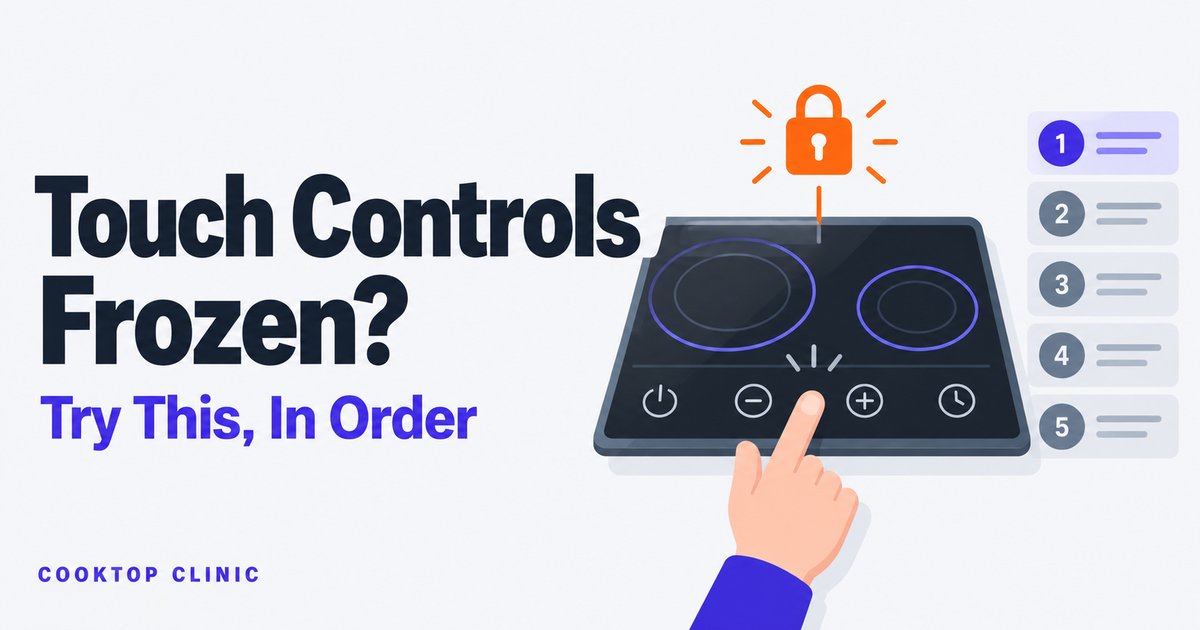
A touch panel that won’t respond is often not a dead control board. Check the control lock (child lock) first — manufacturer troubleshooting lists it — by looking for a lock or key symbol or a lit lock indicator, then holding the Lock key for the time your manual gives (typically about 3–5 seconds). Next, with the zones off and the glass cool, clear water, spills or objects off the panel and use a bare, dry fingertip. If those don’t do it, a breaker reset and ruling out interference from a nearby appliance come before a paid service call.
That’s why this guide is a sequence, not a list of “4 possible causes”: you start with the fixes that are free and instant, and you only reach for the phone at the end.
Work these five steps in order.
Step 1: Is the control lock on?
Check the display for a padlock or key symbol, or a lit “lock” indicator — what it looks like depends on the brand, so check your manual (on some GE models, an “L” on a zone is simply the lowest power level, not the lock). When the lock is active, most keys get ignored — some models, KitchenAid and Miele among them, still let you switch zones off — which looks exactly like a broken panel, except the cooktop is doing precisely what it was told.
And here’s the sneaky part: the lock can get switched on by accident, often while cleaning. Bosch’s guide warns that water spilled during cleaning, food that boils over, or an object resting on the lock key can turn the panel lock on or off. Manufacturer guides even lean into this — KitchenAid’s induction user guide, for example, recommends turning the key lock on while cleaning, because otherwise some keys may turn on. So the “broken” cooktop you discover an hour after a wipe-down may just be locked.
Some models can also lock themselves: Bosch has an automatic panel lock that engages when you switch the cooktop off, and GE offers an optional auto-lock. A panel that’s “dead” every time you come back to it may be set to do exactly that.
To release it, press and hold the Lock key (or its padlock symbol) for about 3–5 seconds until the indicator goes out. The exact key and hold time vary by brand — check your manual for the specific combination (Bosch, for one, only lets you toggle its panel lock with the cooktop switched off). It may be called Control Lock, Key Lock, Child Lock, Panel Lock, or Cooktop Lockout, but the gesture is almost always “hold one key longer than feels natural.”
If there’s no lock indicator anywhere, move on.
Step 2: Clean the glass, dry your hands, lose the glove
Many induction touch panels are capacitive — GE’s service guide says so for its platform — much like your phone screen. They respond to a bare fingertip, which means several everyday things can get in the way:
- Water on the glass. A film of water (or a wet cloth resting on the panel) confuses the sensors or registers as random touches — GE’s troubleshooting chart lists liquid on the controls, and the fix is to wipe it off. Many owners report a panel that “died” during cleanup and came back the moment the glass was dried.
- Grease, cooking residue, or an object over the control area — also on GE’s list.
- Gloves, mitts, bandages or a fingernail. GE’s guide says to touch the center of the pad lightly with the flat part of your fingertip; owners commonly report that a silicone mitt, a bandage or a nail tip often doesn’t register at all.
Before you wipe anything, make sure every cooking zone is off and the glass has cooled. KitchenAid’s guide says to check that all controls are off and the cooktop is cool before cleaning, and Miele’s and Bosch’s manuals say to let the appliance cool first. If a zone is still heating and the panel won’t let you switch it off, don’t clean around it: Bosch’s guide says to switch the cooktop off at the circuit breaker and contact authorized service.
Then the fix costs nothing: wipe the control area clean, dry it thoroughly, dry your hands, and try again with a bare fingertip pressed flat. That’s why Steps 1 and 2 come first: they’re free and instant.
Step 3: The breaker reset
Still nothing? Give the control board a clean restart. Induction cooktops are computers with coils attached, and like any computer they occasionally get stuck in a state where the software stops listening.
- Find the cooktop’s breaker in your electrical panel and switch it off.
- Wait the time your manual gives. It varies: Miele’s guide says 1 minute for a manual reset of its touch controls, GE’s service guide uses 30 seconds, and KitchenAid’s troubleshooting says a few seconds for its F-codes. If your manual doesn’t say, a minute covers all of them.
- Switch the breaker back on and test the panel.
Switching the cooktop’s breaker off and back on with its handle is an owner task the manuals themselves call for — as long as you don’t open the panel, and you skip it entirely if there’s a burning smell, arcing, a breaker that’s unusually hot, or visible damage (then leave it off and call a professional: a licensed electrician for the breaker or wiring, the manufacturer’s authorized service for the cooktop itself). Manufacturer troubleshooting checklists point the same direction: when nothing on the cooktop operates, the first suspects are the household fuse or a tripped breaker. If your breaker was already tripped when you got there, or it trips again after the reset, that’s a different problem with its own diagnosis — see why an induction cooktop trips the breaker.
Step 4: The trick nobody mentions — interference
This one is for the maddening version of the problem: controls that fail sometimes. Work fine at breakfast, dead at dinner, fine again the next day.
Before you conclude the board is dying, look around the kitchen. Many owners report that their touch controls act up only while another appliance — typically a microwave or a blender — is running nearby, and behave perfectly once it’s off. No manual documents this, so treat it as an owner-reported pattern, not a proven cause.
The beauty of this suspect is that it’s testable for free:
The reproducibility check: next time the panel misbehaves, note what else is running. Turn the microwave (or whatever it is) off and try the controls again. If the panel recovers every time the other appliance stops, you’ve found your pattern — and it isn’t a $400 control board.
If interference turns out to be your issue, the practical fixes are mundane: run the two appliances at different times, or plug the offender into an outlet on a different circuit. Treat this as community wisdom rather than a lab result — but it’s the cheapest experiment in this entire guide.
Before you pay for a repair: check for a recall
Here’s a step that’s easy to skip, and it costs nothing.
Some glass cooktops with touch controls have been recalled for operating on their own. The best-known case: in August 2019, the CPSC announced recall number 19-189 for certain Whirlpool, KitchenAid, and JennAir glass cooktops with touch controls whose surface elements could turn on by themselves (CPSC recall notice). That particular campaign covered radiant models, not induction — but it involved the same brands and the same style of touch controls, and the remedy was a free replacement cooktop. More recently, in August 2024, Samsung recalled over a million slide-in electric ranges whose front-mounted knobs could be activated by accidental contact (CPSC recall notice).
The lesson for you: if your cooktop is behaving on its own — turning itself on, turning itself off, controls firing with nobody in the kitchen — switch it off at the circuit breaker first and leave it off (Bosch’s guide gives exactly that instruction for a cooktop that may switch on unintentionally), then call the manufacturer’s service line. While it’s off, spend five minutes on CPSC.gov’s recall search and your manufacturer’s recall page, and check whether your model number is affected before paying anyone to open it up. A recalled appliance gets fixed or replaced for free; a repaired one comes out of your pocket.
When it’s actually the control board
If you’ve cleared the lock, cleaned and dried the glass, done the breaker reset, ruled out interference, and checked for a recall — and the panel is still dead or still flaky — then hardware (usually the touch-control board or its connection) may have genuinely failed. That’s a service call, not a DIY project: the boards run on a 208/240-volt supply, and there’s nothing inside an induction cooktop an owner should be probing.
If the display is showing a code rather than staying silent, look the code up first — some are simple resets, and we’ve covered KitchenAid’s F1E1 and F6E1 codes separately.
And three situations skip the checklist entirely: a burning smell, sparking, or cracked glass. Stop using the cooktop, cut power at the breaker, and call service. No troubleshooting sequence outranks those.
The 5 steps at a glance
| Step | What you’re ruling out | Cost |
|---|---|---|
| 1. Hold the Lock key (per your manual, ~3–5 s) | Control lock / child lock | Free, 30 seconds |
| 2. Zones off and glass cool, then clean and dry it; bare finger | Water, grease, gloves | Free, 2 minutes |
| 3. Breaker off (per your manual, a few seconds to 1 minute), back on | Control board stuck in a bad state | Free, 5 minutes |
| 4. Test with nearby appliances off | Interference (intermittent faults) | Free, next occurrence |
| 5. Check CPSC.gov, then call service | A recall — then real hardware failure | Free to check |
FAQ
How do I unlock my induction cooktop controls? Press and hold the Lock key (usually marked with a padlock or key) for about 3–5 seconds until the lock indicator goes out. The key name and hold time vary by brand — your manual has the exact combination. If holding it doesn’t work, check your manual: on some models (Miele, for one) a power interruption releases the lock, while others can re-lock automatically — Bosch’s automatic panel lock, for example, engages every time you switch the cooktop off.
Can water really stop the touch controls from working? Yes. A film of water or a wet cloth on the panel can stop the controls from reading your fingertip, or register as touches. Wiping it dry is the fix GE’s troubleshooting chart gives. Persistent moisture inside the panel is a different matter, and a reason for service.
Why do the buttons work sometimes but not others? Intermittent faults usually trace to something intermittent: damp or greasy glass some days and not others, the control lock getting toggled by cleaning, or interference from a nearby appliance that only misbehaves while running. Use the reproducibility check in Step 4 before assuming a failing board.
Is resetting the breaker safe for the cooktop? Yes, done from the breaker handle. Switching the branch breaker off and on is exactly what manufacturer troubleshooting steps call for when the cooktop won’t respond. Wait the time your manual gives (Miele’s: 1 minute). Skip it if there’s a burning smell, arcing or a hot breaker — then leave it off. What’s not an owner job is anything beyond the breaker handle — if the breaker itself trips repeatedly, that’s its own diagnosis and possibly an electrician’s visit.

Erin Cole — Erin Cole is the pen name of Cooktop Clinic’s editor. I’m not an electrician or an appliance technician, and I don’t sell cooktops or cookware. Every guide here starts from the manufacturers’ owner’s, installation, and service documents, is cross-checked against what owners consistently report, and says which is which — plus a clear line on when a fix is yours to do and when it’s a job for a licensed electrician.